
Month-End Close Checklist for Small Businesses
October 27, 2026 | Katie Thoma
Month-end close checklist: the goal
A month-end close checklist is a repeatable process for completing a month’s bookkeeping, checking account balances, and reviewing the financial reports before using them to make decisions. A useful close ends with supported numbers, a clear list of anything still unresolved, and an owner who understands what needs attention next.
For a small-business owner, that might mean deciding which invoices to follow up on, investigating a rising expense, or seeing whether a busy month actually earned more. Sending a profit and loss report is one step. Explaining what changed makes that report useful.
The routine below gives each task an owner and a clear finish line. In a small team, one person may handle several roles; what matters is that everyone knows who supplies the information, who checks it, and who makes the decision.

Set up the close before the month ends
Agree on the reporting period, accounting basis, responsibilities, and review date before starting. The right deadline depends on when statements and other records arrive and how complex your business is; there is no single closing schedule that fits everyone.
Use one shared checklist with these fields:
- Task and responsible person: Name someone, rather than assigning work to “the office.”
- Due date and status: Distinguish waiting for information, ready for review, and complete.
- Supporting record: Link the statement, invoice, schedule, or saved report.
- Open question: Record what is missing, who will answer it, and the next follow-up date.
- Reviewer and review date: Make it clear who checked the finished work.
Your bookkeeper may prepare the records while an owner or controller reviews them. If staffing limits a separate review, identify the balances and decisions the owner will check directly.
Keep the accounting basis consistent across reports. Cash and accrual accounting recognize activity differently, so comparisons can mislead if one report uses a different basis. Confirm the appropriate treatment of deposits, prepaid expenses, unpaid bills, and other timing items with your accountant or CPA.
Month-end close checklist: 8 steps
1. Gather the records and identify what is missing
Responsible: The owner or office manager supplies records; the bookkeeper tracks completeness.
Gather statements for every business bank account, credit card, loan, and relevant payment processor. Add customer invoices, supplier bills, receipts, payroll-provider reports, and details of equipment purchases or owner transactions.
Intuit’s month-end checklist begins with source records, including bank statements, receipts, and invoices. A bank feed is useful, but it does not explain every purchase or replace the statement used for reconciliation.
Finish line: Each account has its statement or supporting record, and every missing document has a named follow-up owner. For a payment processor, keep the settlement detail needed to explain gross sales, fees, refunds, and the amount deposited.
2. Complete and categorize the month’s transactions
Responsible: The bookkeeper prepares; the owner answers business-purpose questions.
Enter missing activity, review categories, and match imported transactions to entries already recorded. Check transfers between accounts and credit card payments carefully so the same movement does not become an extra expense.
For service businesses, review job or customer assignments while the work is still familiar. Ask specific questions: Which project used these materials? Was this purchase equipment or supplies? Did this payment settle an existing invoice?
Finish line: Transactions are recorded and categorized using supporting information. Anything awaiting an answer stays visible on the question list; a plausible category is not a substitute for knowing what happened.
3. Reconcile bank and credit card accounts
Responsible: The bookkeeper reconciles; the reviewer examines exceptions.
Reconciliation compares the transactions in your books with the statement for the same account and period. Intuit’s QuickBooks Online reconciliation guidance calls for entering and categorizing transactions first, checking them against the statement, and investigating differences.
Look at outstanding checks and deposits as well as the final difference. An old unreconciled item needs an explanation even if the current statement balances.
Finish line: Save the reconciliation report and document any outstanding items requiring follow-up. Do not create an unexplained adjustment simply to reach zero; involve your accountant when the difference cannot be resolved.
4. Review unpaid invoices and upcoming bills
Responsible: The bookkeeper prepares the lists; the owner or designated team member follows up.
Review accounts receivable, which is money customers owe, and accounts payable, which is money the business owes. Intuit’s accounts receivable aging guidance explains how aging reports show unpaid balances and how long they have been outstanding.
Before contacting a customer, check whether the payment was received but applied incorrectly, whether a credit is missing, or whether the invoice is disputed. For bills, check due dates, duplicate entries, and amounts that may already have been paid.
Finish line: Each item needing attention has a next action and an owner. An aging bucket is a prompt to investigate; it is not an automatic reason to write off an invoice.
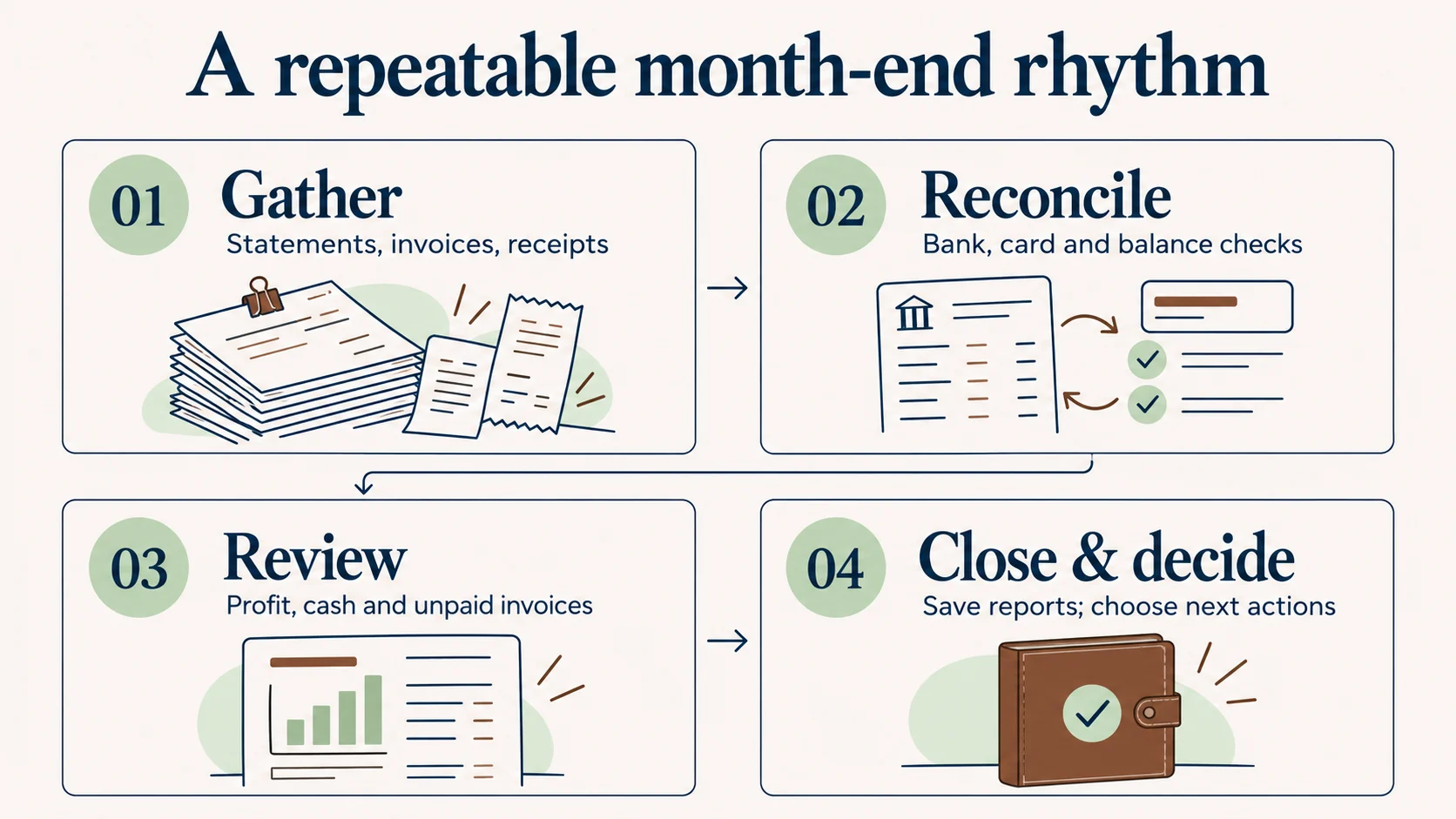
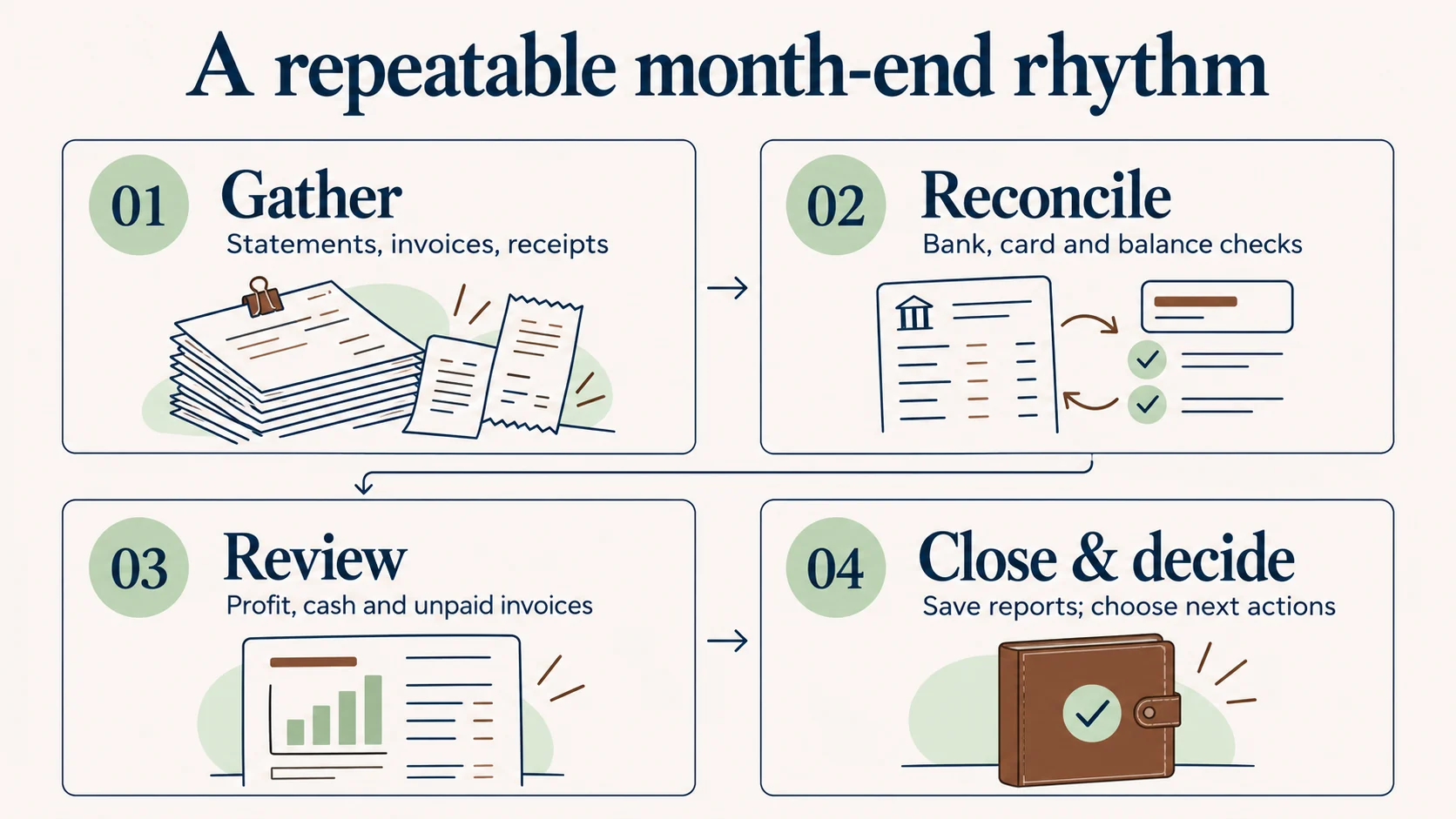
This rhythm keeps the work connected: gather, reconcile, review, then close and decide. Completing the first two stages gives the review a reliable starting point.
View the infographic at full size.
5. Support the other balance sheet accounts
Responsible: The bookkeeper prepares schedules; the controller or accountant reviews accounting questions.
The balance sheet needs attention beyond the bank accounts. Compare loan balances with lender records. Review equipment purchases, owner contributions and withdrawals, and liabilities using the relevant documents. Record payroll-related activity from the payroll provider’s reports and investigate differences with that provider.
Ask your accountant which schedules and adjustments apply to your business, including depreciation, prepaid expenses, accrued expenses, or inventory where relevant. Those treatments depend on the circumstances and accounting basis.
Finish line: Important balances have supporting records, and proposed adjustments have an explanation and appropriate review. Moxie can organize payroll and year-end records for the appropriate provider; Moxie does not run payroll or prepare or file tax returns.
6. Review the reports together and explain changes
Responsible: The controller or bookkeeper prepares explanations; the owner discusses the business implications.
Review the profit and loss report, balance sheet, and relevant cash information together. Intuit’s final report review guidance includes financial statements, aging reports, and comparisons as part of the review.
Compare the month with the prior month, your budget if you have one, and the same month last year when seasonality matters. Investigate large changes before treating them as business trends: a missing bill or a changed category can distort the comparison.
Use three owner questions to focus the conversation:
- Did the work earn what we expected? Review revenue, direct costs, and overhead together.
- Where did the cash go? Look at collections, purchases, debt payments, and owner transactions.
- What needs to change next month? Choose an action you can assign and revisit.
Consider this hypothetical example: profit improved, but cash fell. Customers may be paying later, the business may have purchased equipment, or a loan payment may include principal that does not appear as an operating expense. The reports help you identify which explanation fits.
Finish line: Write a short explanation of the changes that matter. “Revenue increased” is a description. “Revenue increased, but collections are taking longer, so we need to follow up on these invoices” leads to an action.
7. Record exceptions and finalize the reporting package
Responsible: The preparer documents; the reviewer approves the status.
Save the reports, reconciliations, supporting schedules, and review notes for the same reporting period. Include the report date and accounting basis so a later reader knows what they are looking at.
If information is still missing, describe the affected balance, potential reporting impact, responsible person, and follow-up date. Label reports preliminary when unresolved items could materially change the owner’s interpretation.
Finish line: Everyone knows which reports were reviewed and what remains open. Agree on who can approve changes to a reviewed month and how revised reports will be communicated.
8. Choose the next business actions
Responsible: The owner decides; each action has someone accountable for completion.
Finish with a short conversation about what the reports mean. Choose a manageable number of actions tied to the business’s current priorities:
- Collections: Who will contact the customers with overdue balances, and by when?
- Costs: Which recurring expense needs a closer look or a vendor conversation?
- Profitability: Which service or job result deserves investigation before the next quote?
- Cash timing: Which expected receipts and upcoming payments need closer monitoring?
Finish line: Record the decision, responsible person, and follow-up date. Begin the next monthly review by checking what happened to those actions.
When monthly bookkeeping needs controller support
If records are current but reports still leave the owner asking “What does this mean?”, the next need may be review and interpretation. A controller can help establish the close routine, review balances, explain results, and strengthen the controls around the work.
If transaction entry or reconciliation is regularly behind, start by making the underlying monthly bookkeeping process dependable. If prior periods contain unresolved errors, our QuickBooks cleanup checklist covers that separate repair process. Cleanup addresses existing records; this monthly routine helps keep subsequent periods useful.
Frequently asked questions
How long should a small-business month-end close take?
Set a realistic target based on statement availability, transaction volume, and review needs. Track what delays completion, such as missing receipts or unanswered questions, and improve that handoff. A deadline is useful when it allows time for a supported review.
Is reconciling the bank account enough to close the month?
No. Bank reconciliation checks one part of the records. Unpaid invoices, bills, loans, other balance sheet accounts, expense categories, and financial reports still need review. The owner also needs to understand any unresolved items before acting on the results.
Should I close or lock the books in QuickBooks?
Agree on the timing and permissions with your accountant after the review is complete. Intuit’s closed-books guidance explains closing-date settings and how to review later changes. These controls help protect reviewed periods; keep a process for approved corrections and communicating revised results.
What should I bring to the monthly financial review?
Bring the reviewed reports, the open-question list, expected large receipts and payments, and upcoming business decisions. Tell the person reviewing your books about operational changes, such as new equipment or a change in billing terms, that may help explain the numbers.
Make the monthly review useful to your business
Start with a named owner for each task and a clear definition of complete. Then give the financial review the same attention as the bookkeeping: explain the changes, identify the decisions, and follow up next month.
Moxie Business Assist’s fractional controller services help small-business owners build that connection between accurate records and practical decisions. If you want support establishing a repeatable close and understanding your reports, tell us about your business.